
Cases
Turn repeatable workflows into structured, trackable AI work.
Not all work should be a chat thread. When a workflow is repeatable, needs review, or feeds another system, build it as a Case: a structured unit of work powered by an agent, with typed inputs, typed outputs, status, and run history.
The distinction in one line: the agent is the intelligence, the Case is the work being processed.
When a Case beats a conversation
Choose a Case when the work has:
- A repeatable input shape (a request, a document, a submission).
- An expected output shape (fields, a verdict, a produced artifact).
- A need for tracking: status, volume, retries, SLA.
- Reviewers who approve results before they count.
- Other systems that consume the results.
Exploratory or one-off work stays in Chat.
Building one
Cases live in the Console sidebar, right under Agents. Press Create case and you get a work surface shaped like a sheet: each row is a unit of work, and each column is either an input (a file, a field, a submission) or an output filled by an agent.
Here is a real one, an Invoice Intake Case that extracts vendor, invoice number, and category from uploaded invoice PDFs:
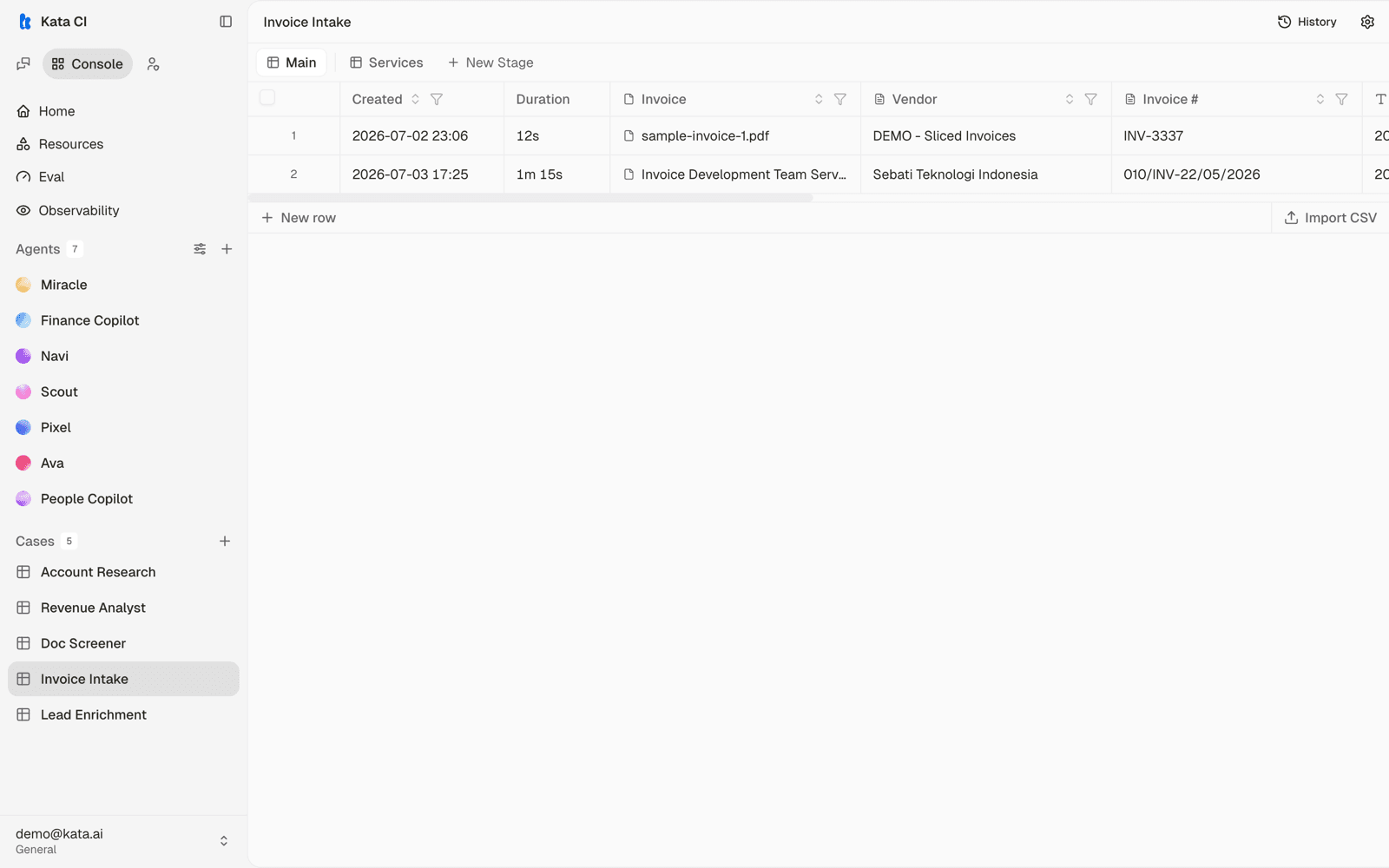
What the surface gives you:
- Stages (the tabs across the top, such as Main and Services) split a process into steps that activate as prior outputs land.
- Columns each carry their own instructions and agent. Columns inherit their agent's apps, skills, and knowledge by default, so a well-configured agent becomes a well-equipped column with no extra setup; override per column when a step needs different tools.
- Rows arrive by hand (New row), in bulk (Import CSV), or through whatever channels you bind: public forms, email, webhooks, schedules, or the API.
- History and settings work like agents: versioned changes, with the Case's agent configurable from the page header.
How work flows
Each row's work runs as tracked fills: cells compute when their inputs are available and recalculate when inputs change, every cell records which run produced it, and failures are visible per row with retry. Tasks that need human sign-off sit in a review state until someone decides, and SLA tracking flags work that idles too long. Case runs appear in Observability alongside chat runs.
Case as an API
A Case doesn't have to be used through Sebati's own interface. Your product, portal, or internal application can create tasks, provide inputs, and read status and outputs over the API, with Sebati as the intelligence and processing layer underneath your own experience. See API essentials.