
Files and artifacts
Give agents your documents, and keep the documents they make for you.
Work flows through files in both directions: you hand documents to agents, and agents produce documents, tables, slides, and charts for you.
Attaching files
Attach files with the composer's paperclip or by dropping them onto the conversation. Agents read the content, not just the file name: they extract text from PDFs and Word documents, parse spreadsheets, and look at images.
A few practical notes:
- Attach the file in the same message as your request, so the agent knows what to do with it.
- Spreadsheets work best when you say which sheet or columns matter.
- Scanned documents go through text recognition automatically.
Artifacts
When an agent produces something substantial, it becomes an artifact: a document, spreadsheet, presentation, chart, or image that lives in the Outputs panel beside the conversation instead of being buried in it.
Artifacts have:
- Live preview: read documents, page through and present slides, inspect tables without downloading anything.
- Versions: when you ask for changes, the previous version is kept. Flip back any time from the version menu.
- Downloads and exports: download in standard formats, or export to connected apps such as Google Drive where your workspace has them.
For what each artifact type can do (slides, documents, spreadsheets, PDFs, charts, images), see Documents, slides, and spreadsheets.
The Library
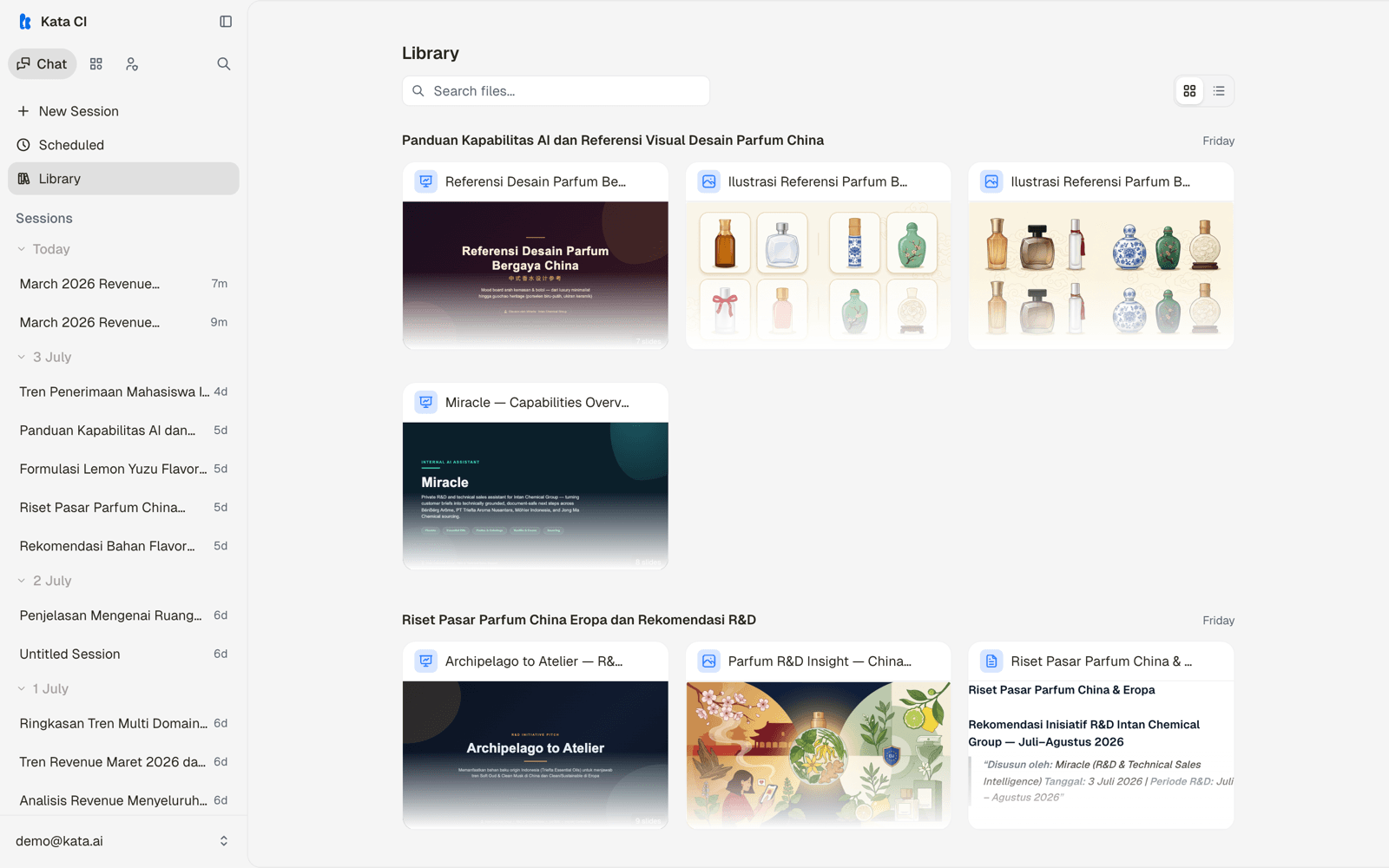
Artifacts from all your conversations are collected in one place, so "where did that report end up" has an answer. Open Library from the Chat sidebar.
Interactive outputs
Some agents render interactive views: charts you can hover, tables you can sort and filter, small purpose-built views for a dataset. These appear inline in the conversation and stay usable after the run finishes.