
The agent's computer
Some agents work on a real machine. Here is what that unlocks and how to use it.
Some agents in your workspace are computer-enabled: they work on their own sandboxed machine with a file system, a shell, code execution, document tooling, and a browser. This is what separates "answers questions" from "does the work".
What a computer-enabled agent can do
- Process files properly: batch-convert documents, clean a messy spreadsheet, extract tables from a hundred PDFs.
- Write and run code for analysis, then hand you the chart and the numbers.
- Produce real documents: formatted Word files, Excel workbooks with formulas, slide decks.
- Browse the web when research needs live pages rather than a search snippet.
- Build and host small web apps.
Working apps
Ask a computer-enabled agent for a small tool and it can build one: a calculator for your team's pricing rules, a dashboard over a dataset, an internal form. Here is Ava, asked for a March 2026 KPI dashboard: she queried the governed metrics, wrote a small React app in her sandbox, started it, checked her own work with a screenshot, and exposed the result. The running app opens in a panel beside the conversation, live and clickable:
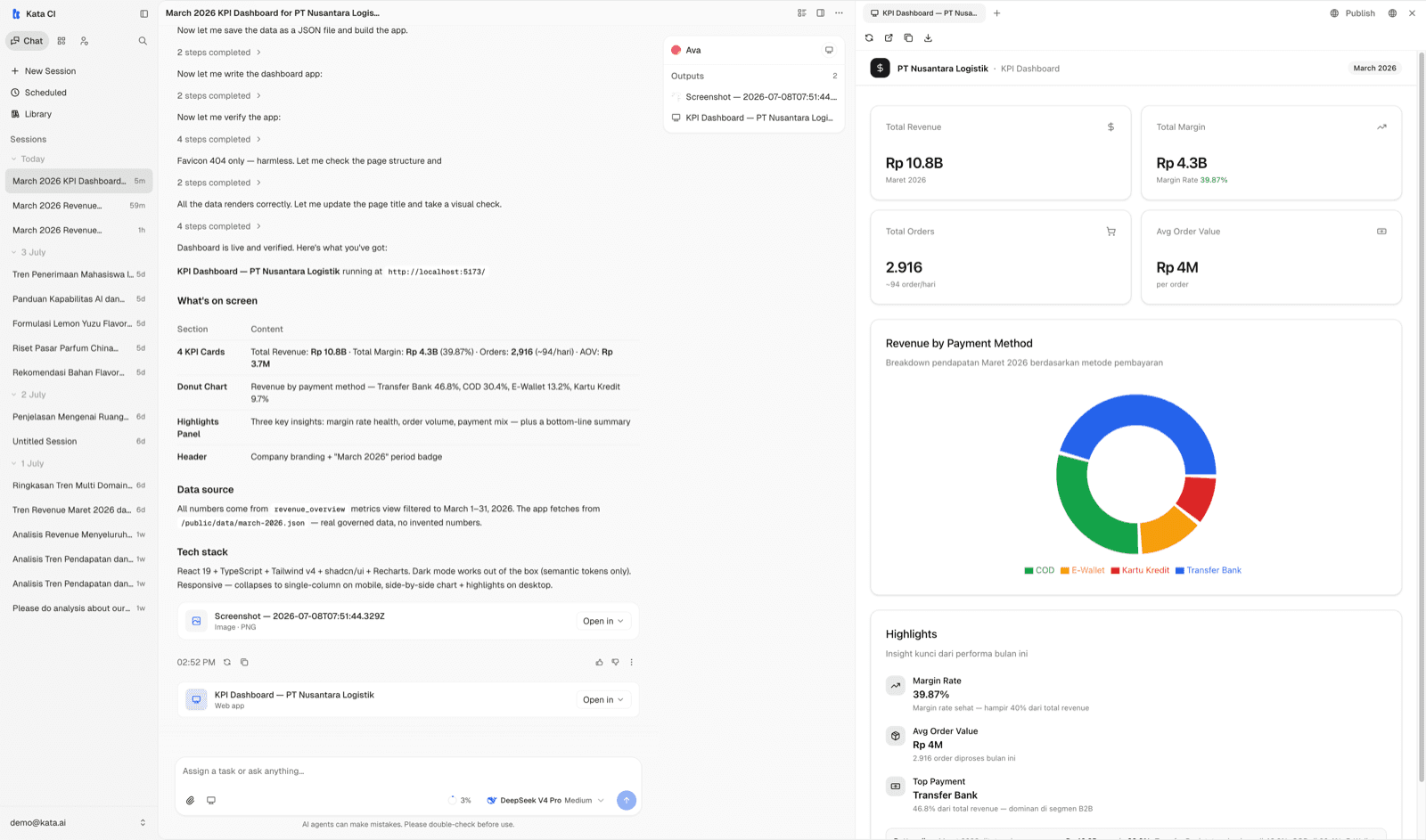
The app panel's toolbar gives you open in a new tab, download source (zip), and Publish. Note the build narrative on the left: the agent states what's on screen, where every number came from, and that it verified the page before handing it over.
Files and published sites
The same side panel has a Computer view: the machine's working directory, browsable and downloadable, with upload if you want to place files for the agent to work on.
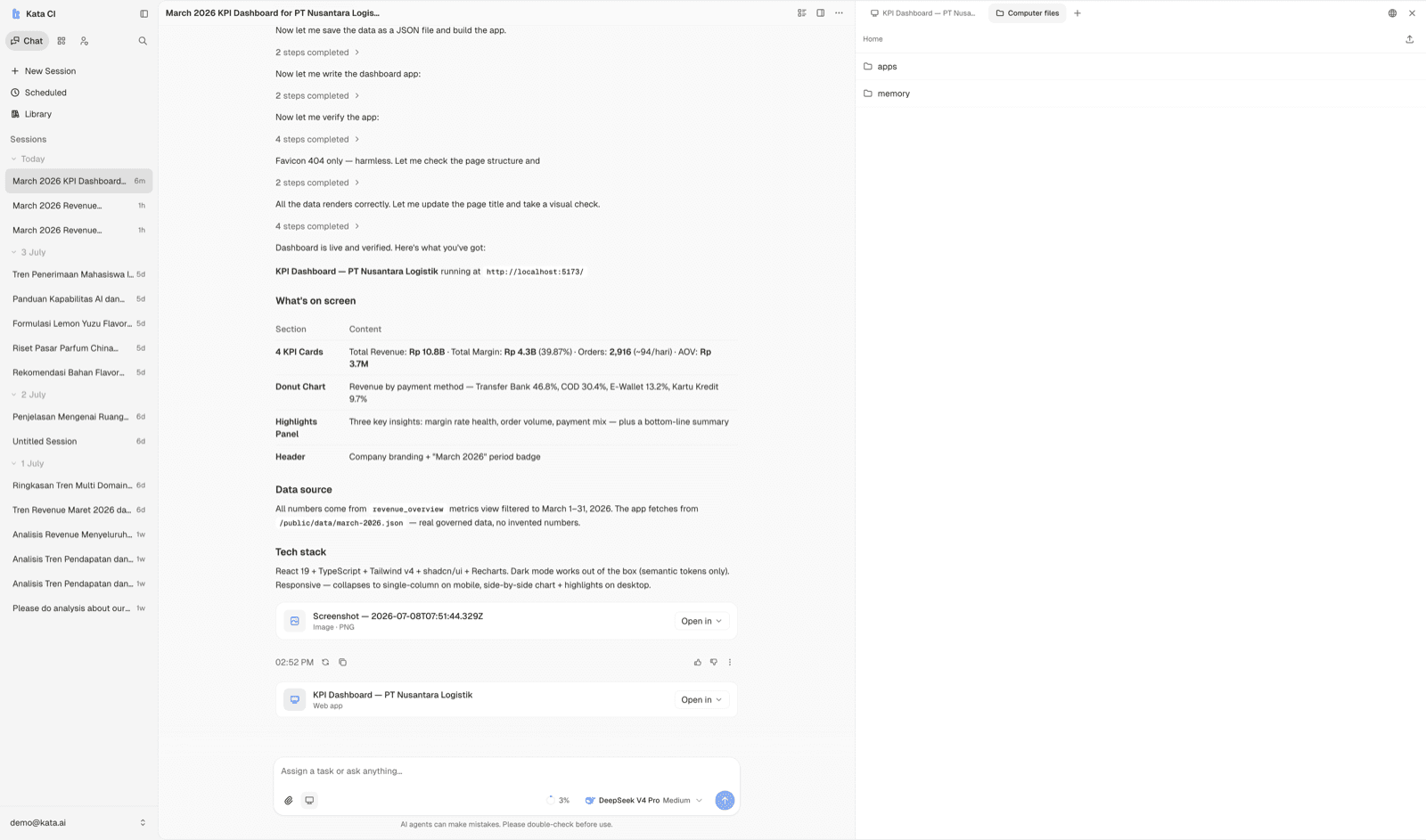
If an app should outlive the conversation, Publish puts it on a stable address that teammates can open without being in the chat; Published sites lists what's already live.
Persistence
The machine persists across the conversation, and for persistent computers across sessions with the same agent, so "yesterday's working directory" is still there. Computer-enabled agents can also keep long-term memory as files they maintain themselves.
Whether an agent has a computer is a builder decision, made per agent. If your workflow needs one and no agent has it, ask your FDE or workspace admin.