
Your first conversation
Sign in, pick an agent, and get real work done in five minutes.
This walkthrough takes you from signing in to a finished piece of work. You need an account in your organization's Sebati deployment. If you don't have one, ask your workspace admin for an invitation.
Sign in and pick an agent
Open your deployment's web address and sign in. You land in Chat, with your session history in the sidebar and a composer in the middle.
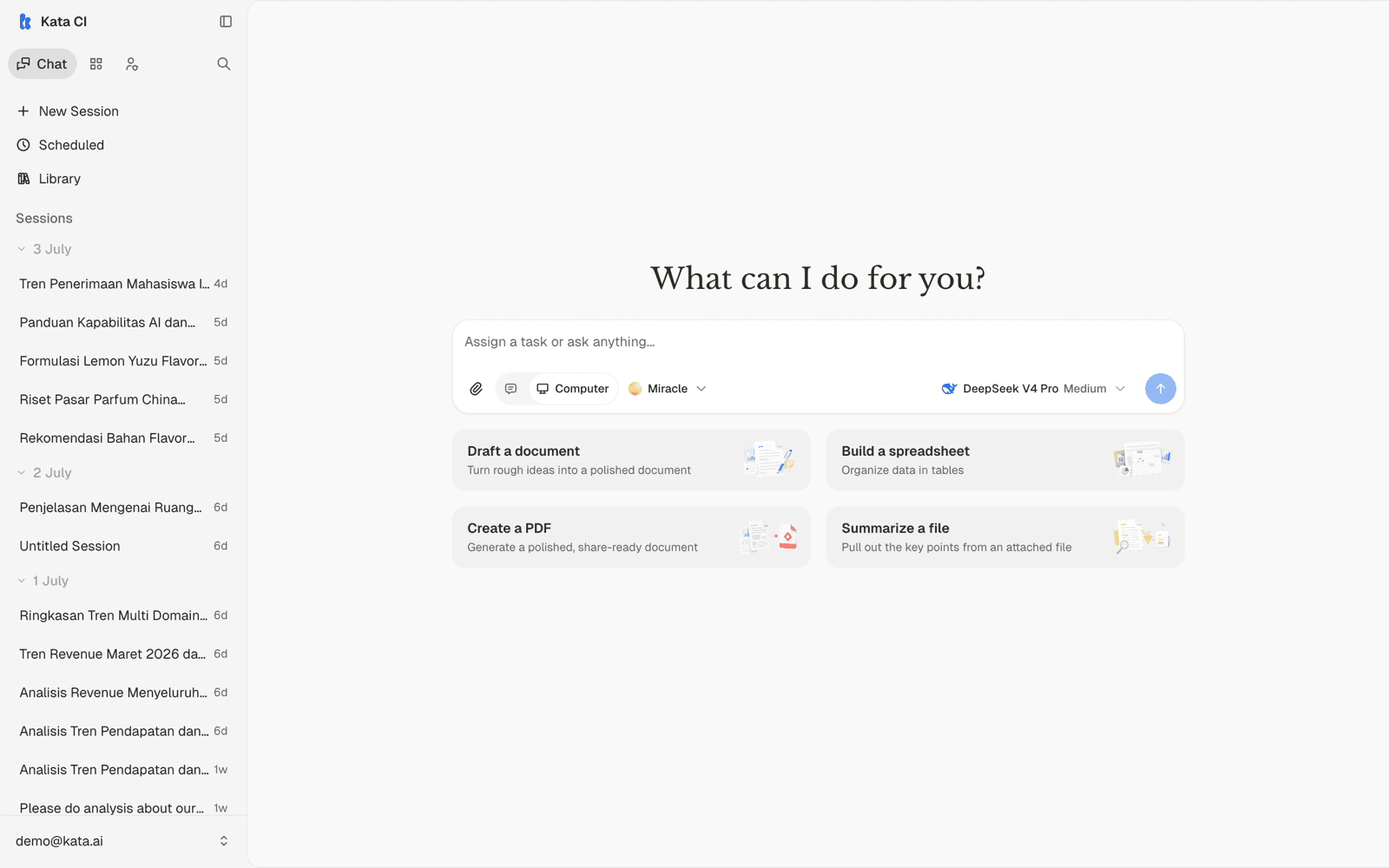
Press New Session, then open the agent picker in the composer to choose who you're talking to.
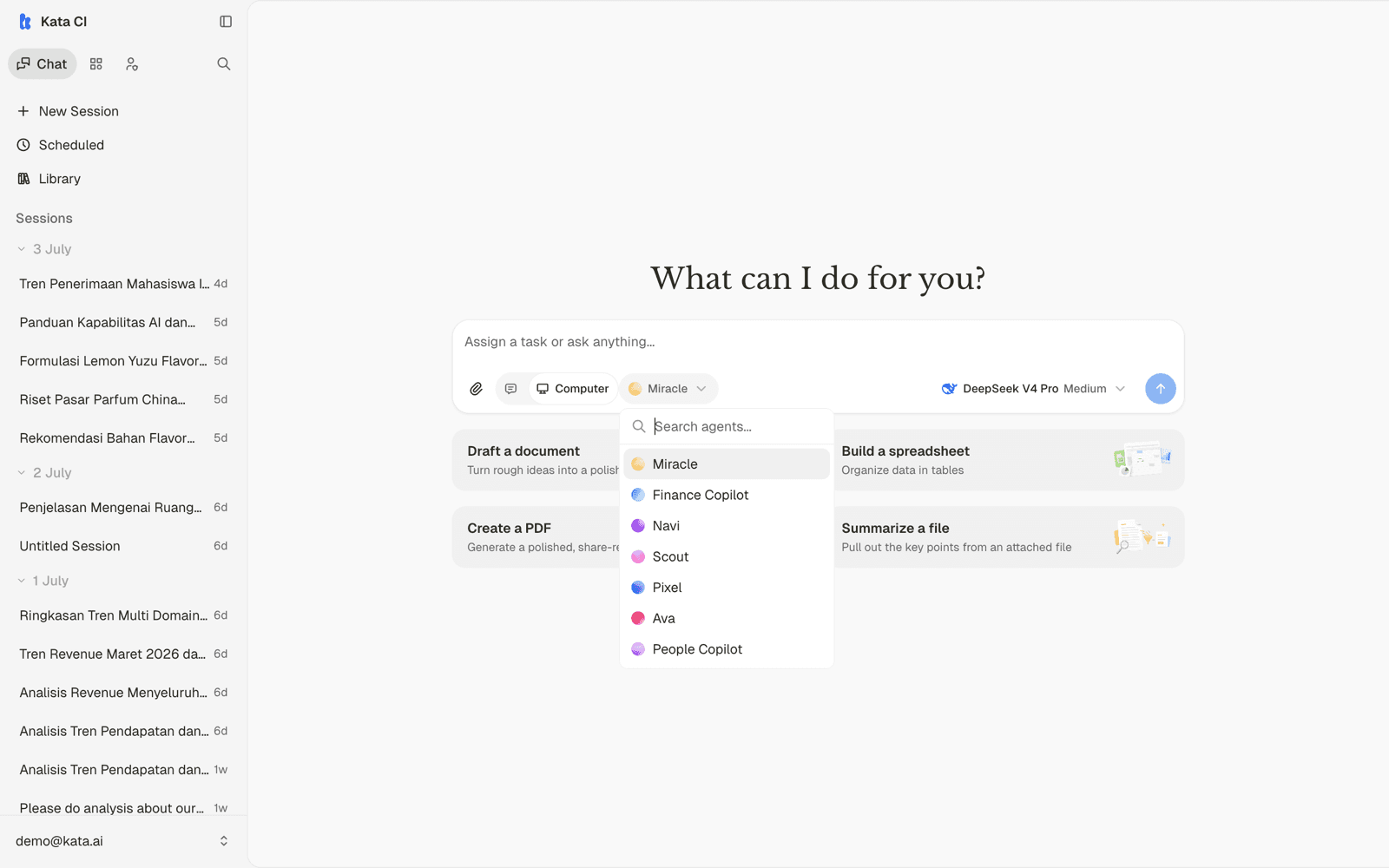
Each agent is built for a kind of work: one might handle procurement questions, another writes reports, another analyzes data. In this guide's example workspace, Ava is the executive copilot grounded in the company's analytics warehouse. If you're not sure which agent to use, ask your team which one covers your workflow.
Two other controls live in the composer:
- Runtime mode switches between Standard and Computer (a sandboxed machine for file and code work, if the agent supports it).
- The model selector shows which model will run and its reasoning effort. The default is fine; builders tune what's available.
Ask for something real
Skip the "hello" message. Agents do their best work when you give them a task, context, and the shape of the output you want:
Summarize our March 2026 revenue performance in a few bullets, then give me a small table of revenue by payment method.
Attach files with the paperclip or by dropping them into the composer. Agents read documents, spreadsheets, and images.
Watch it work, and steer
The agent streams its response live. For longer tasks it plans, calls tools, queries data, and shows its progress as it goes.
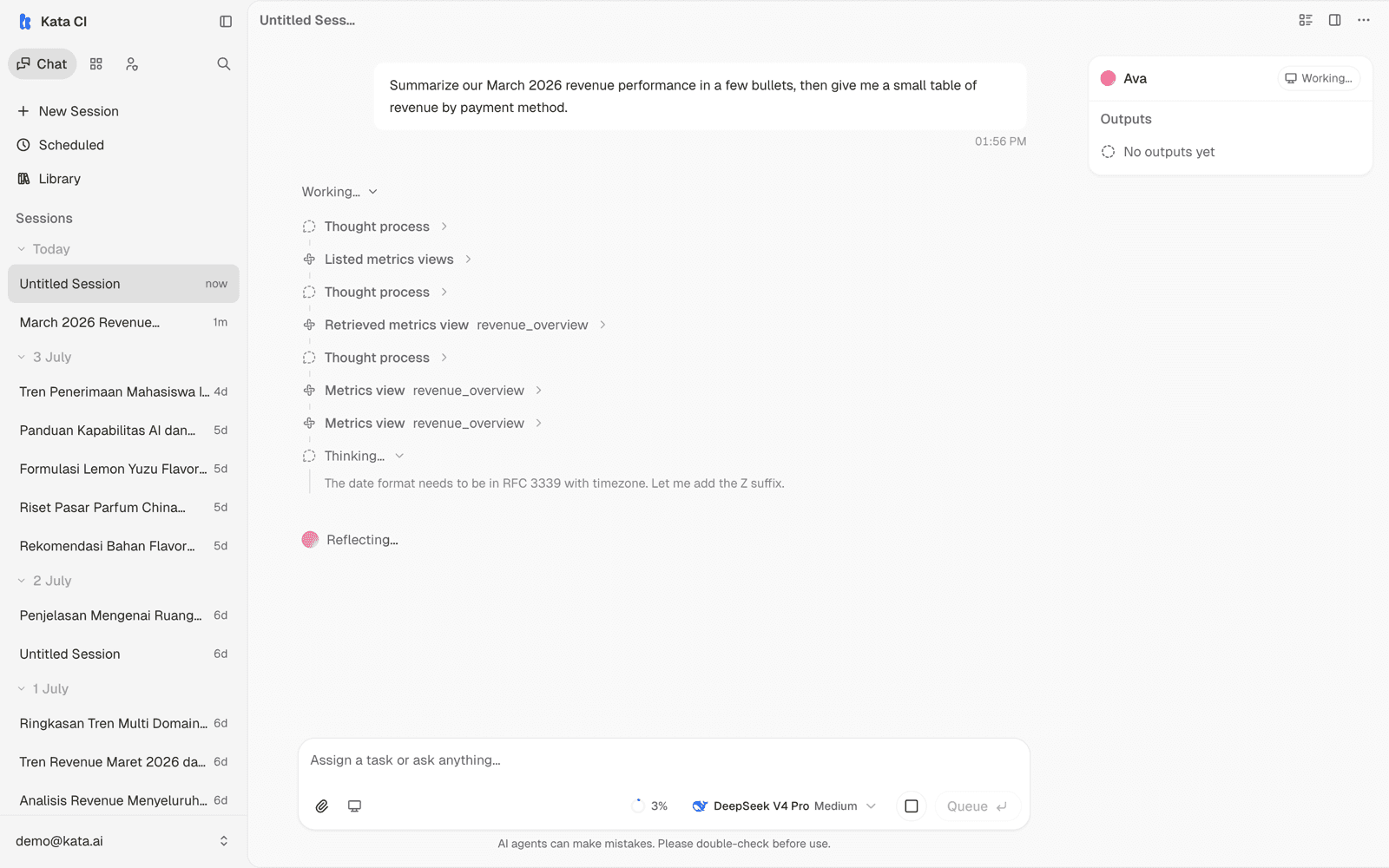
You don't have to wait for it to finish. Type a follow-up mid-run to steer it: "focus on the western region" or "make the table smaller". You can also stop a run at any point.
Use the result
Here is Ava's finished answer: a summary, a real table computed from governed company data, key takeaways, and linked sources you can check.
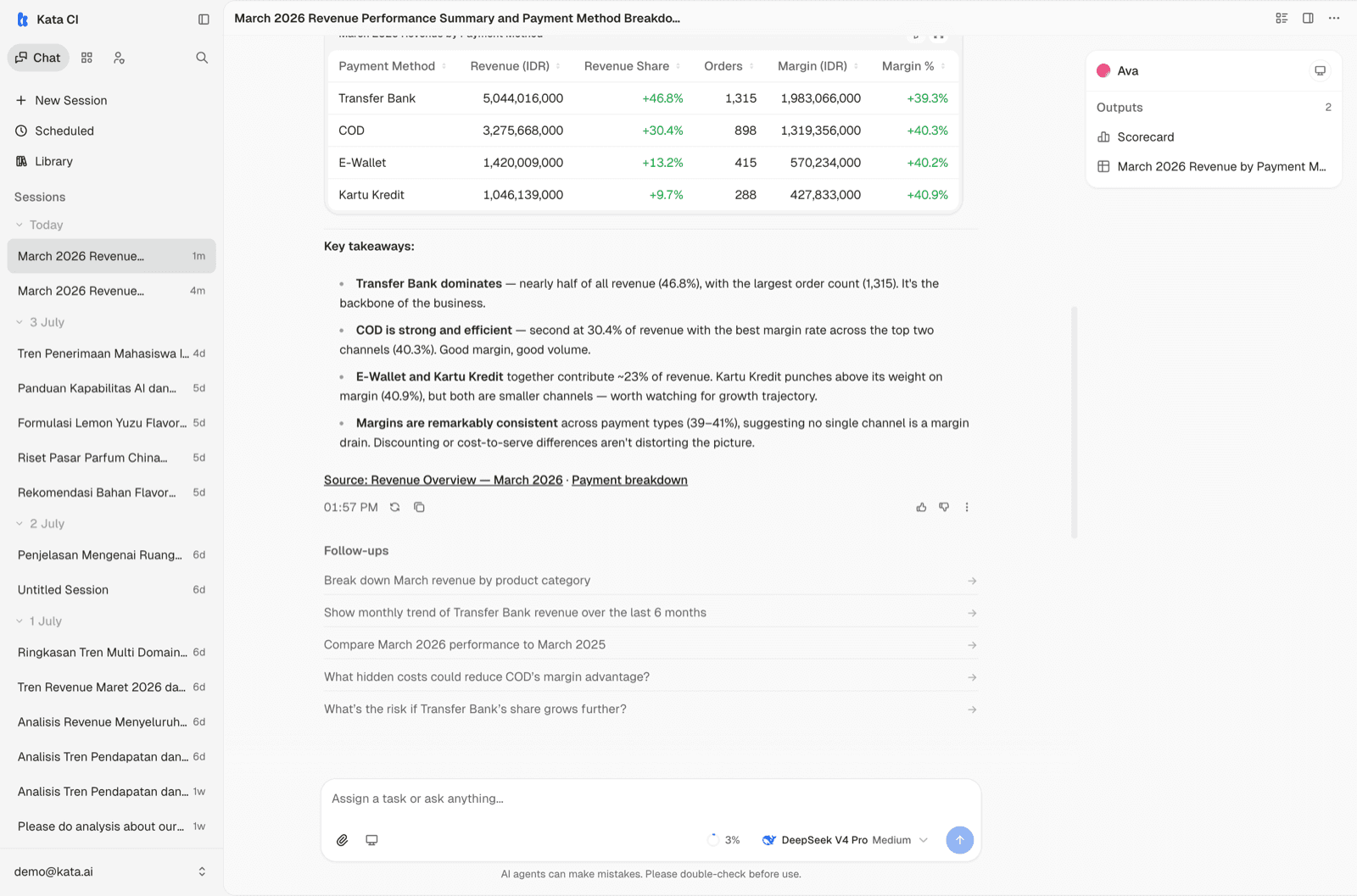
Three things to notice around the answer:
- Sources: grounded answers cite where the numbers came from.
- Follow-ups: suggested next questions appear under the response. Click one to continue the investigation.
- Outputs: substantial outputs (documents, tables, slides, charts) are collected in the panel on the right and in your Library, with every version kept.
To share the conversation with a teammate, use the share menu. It creates a link; anyone with the link can read the conversation.
Where to go next
- Rate responses with the thumbs buttons. Feedback flows to the people who maintain your agents and makes future answers better.
- Recurring work can run on a schedule without you in the loop. See Scheduled work.
- Some agents work on their own computer and can build files and small apps for you. See The agent's computer.