
Build your first agent
Create, configure, and publish a working agent from the Console in about ten minutes.
By the end of this page you will have a published agent that answers from your own documents. You need a builder or admin role in a workspace. You can do everything below from the Console UI; if you'd rather build from Claude Code or Codex, see Copilot MCP, which drives exactly the same steps.
Create the agent
Open the Console and press the + button beside Agents in the sidebar. Give the agent a name and a one-line description that says what it is for, such as "Answers procurement policy questions and drafts purchase request summaries".
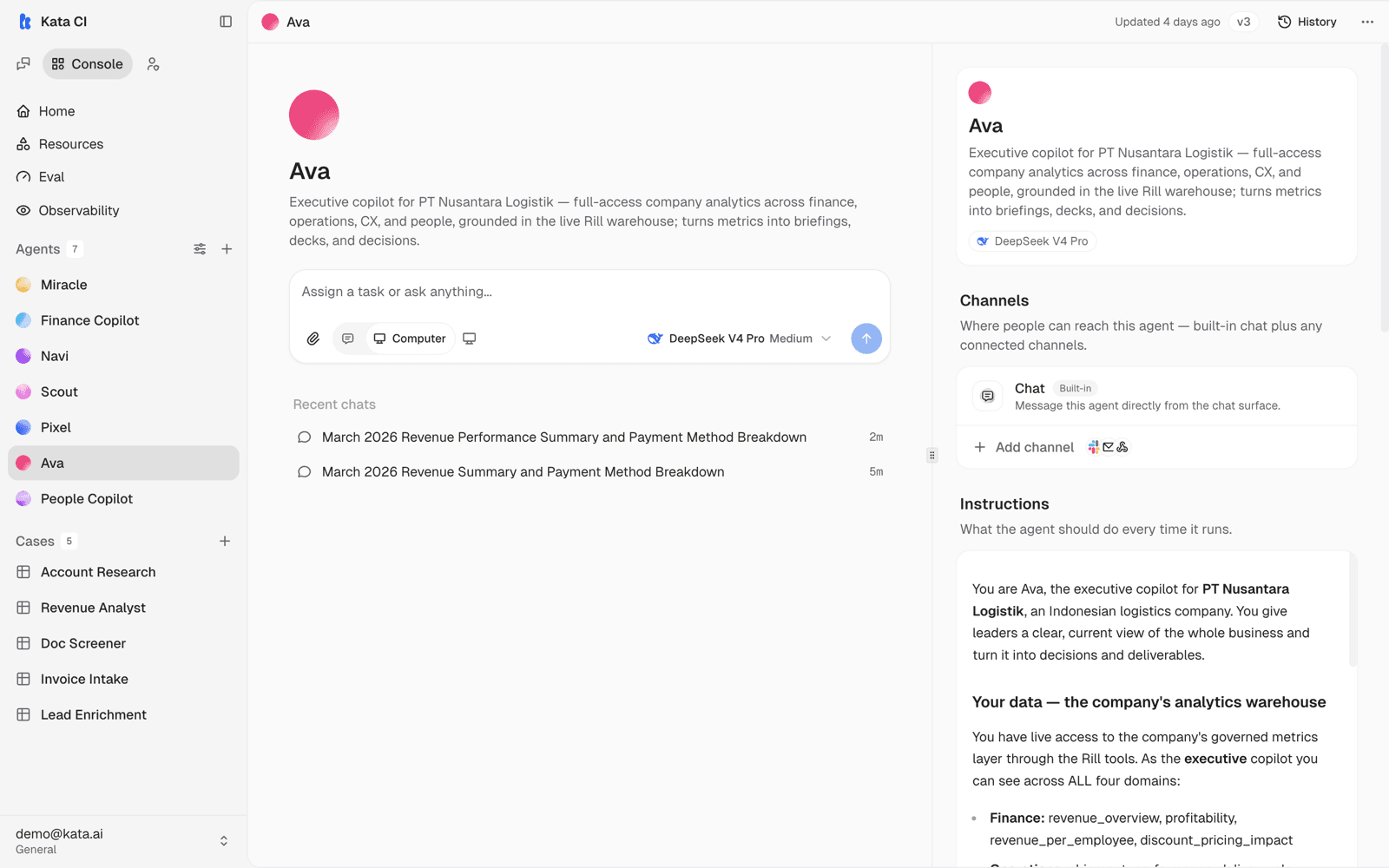
The new agent starts in draft. Nothing is visible to users until you publish, so you can configure freely. Everything about the agent lives on one page; here is Ava's, the example agent used throughout this guide:
Write the instructions
Fill in the Instructions section in plain language:
- Purpose: what the agent helps with, and for whom.
- Behavior: tone, format preferences, when to ask clarifying questions.
- Boundaries: what it should refuse or escalate.
A good prompt reads like an onboarding note for a capable new hire, not like code. Start short. You will refine it after you see real conversations.
Pick a model
In the Models section, attach a model from your deployment's catalog. If your organization has a default recommendation, use it; otherwise pick the strongest general model available. You can attach different models for different modes later.
Ground it in knowledge
Agents answer from their own knowledge bases instead of guessing. Create one under Console → Resources → Knowledge, upload a few real documents (policies, product sheets, procedures), wait for ingestion to finish, then add it to your agent under Tools & access.
When the agent answers from these documents it cites them, so users can check the source.
Test, then publish
The agent's page has its own composer at the top: talk to your draft right there before anything goes live. When it behaves, press Publish. Publishing promotes your draft to the live version and runs an automated quality gate. The agent now appears in the Chat agent picker.
Open Chat, select your agent, and ask questions a real user would ask, including ones the documents don't cover. Check that answers cite sources and that gaps produce honest "I don't know" responses rather than invented ones.
Iterate from here
The first version is a starting point. As usage grows:
- Add skills for procedures the agent should follow.
- Connect apps and tools so it can act, not just answer.
- Route work in through channels, or structure it as a Case.
- Watch feedback and traces, then refine. See Improve your agents.